Integrating Laetus Camera and Verification Systems: Connecting the Line's Eye to Enterprise Systems
How results from in-line camera and verification systems reach production and enterprise software, and what matters when integrating Laetus-type systems.
25 September 2026 · 6 min read
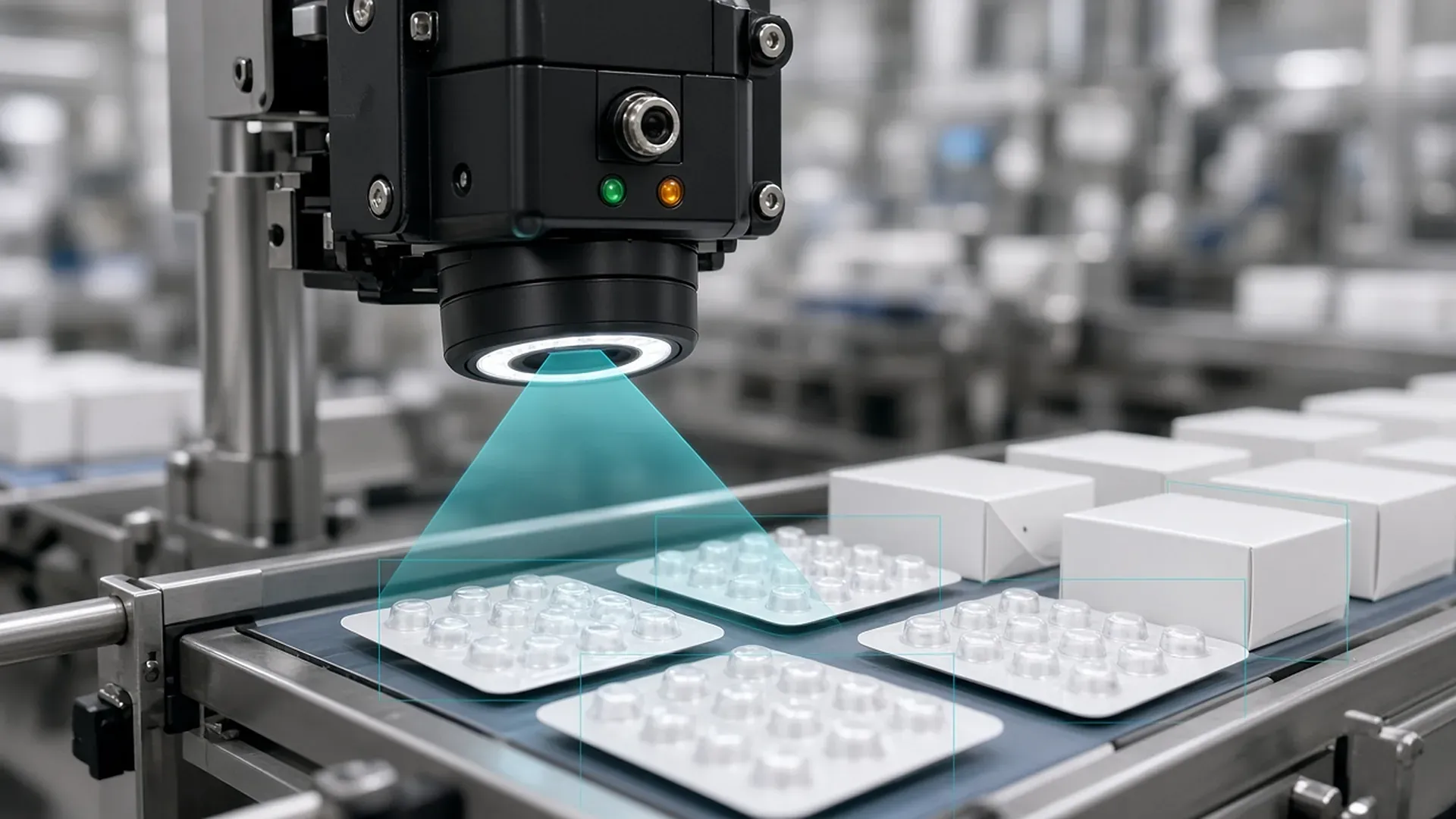
On a packaging line, the camera makes a decision in a fraction of a second: is this pack good, or should it be rejected? That decision is the heart of the line. But its value depends on the result reaching the right place, in the right form, without gaps. If a rejected pack's serial number ends up in a notification, or a good pack's result is lost, the camera's correct decision means nothing.
In this article we explain what in-line camera and verification systems do, what we pay attention to when integrating systems such as Laetus, and the situations we meet most often on the floor.
What do in-line camera systems do?
Laetus is a manufacturer of track and trace and vision inspection solutions. On a packaging line, systems like these typically handle:
- Code reading and verification: reading the 2D code on the pack and comparing its content with the expected data.
- Print quality inspection: checking that the code and human-readable text (such as expiry date and batch number) are legible and correct. As Laetus's print quality page explains, this relies on criteria such as contrast, defects and readability, often using OCR (optical character recognition) and OCV (optical character verification).
- Product and packaging checks: making sure the right product is in the right pack, blister pockets are filled or the leaflet is present.
- Rejection: removing faulty products from the line.
Similar vision solutions exist from other makers; VISIOTT's vision technologies, for example, include pharmacode verification, presence checks and OCR/OCV. The core principles of integration are largely the same regardless of the manufacturer.
Why integration matters
The camera is a decision-maker on its own. The enterprise side, however, has to answer questions like these:
- How many packs in this work order were good, and how many were rejected?
- Which serial numbers are valid, and which must be removed from notifications?
- What were the reject reasons? Is there a spike at a certain hour or in a certain batch?
- Which product and format settings did the line run with?
Those answers are only possible if data from the camera and line software is transferred completely, on time and with meaning. So we design the integration backwards from these questions.
What we pay attention to in integration
The meaning of result data
"Good" and "bad" are not enough. The decoded content, expected content, reject reason and timestamp should travel together, so later analysis can tell whether a problem came from the printer, the camera or the master data.
Confirming the reject
The camera saying "reject" and the pack actually leaving the line are two separate events. Without confirmation from the reject unit, a pack believed to be rejected may have continued down the line. That difference must be clearly visible in the records.
Product and format management
For each product, it is defined which code, text and area the camera inspects. Making sure the right settings are selected when the work order changes reduces the risk of running the wrong product, and that selection must match the work order in the enterprise system.
Time and sequence consistency
If the camera, line software and enterprise system have different clocks, the order of events gets mixed up and later investigations become harder. Clock synchronization and event ordering are simple but often overlooked.
Audit trail
In regulated manufacturing, who changed which setting, who manually accepted which pack and who acknowledged which alarm must be recorded. The integration should carry these records to the enterprise side, or at least link to them.
Operator experience
The screen at the line should be simple. Operators need to see the reason for consecutive rejects and be able to call maintenance immediately. A good integration turns camera data into information operators can act on.
A typical data flow in the integration layer
Details vary by project, but the integrations we build with camera and verification systems usually work in these steps:
- Sending the work order to the line: the work order in the enterprise system is passed to the line software with product, batch, expiry and target quantity. The line software makes sure the camera runs with the right product settings.
- Collecting events during production: for every pack, the read result, the decision and, where relevant, the reject reason are recorded. These records are buffered at line level so nothing is lost if the network drops.
- Interim summaries: at regular intervals, good and rejected counts, the most frequent reject reasons and alarms are sent to the enterprise side, so production managers can follow the line without standing next to it.
- Closing the work order: when the work order ends, the final lists of good and rejected serial numbers are reconciled between the line and the enterprise system. If there is a difference, a warning is raised before closure completes.
- Passing data on: the reconciled list becomes the input for aggregation, stock and reporting processes.
The most critical step is the fourth. Reconciliation at work-order closure determines how reliable every later process will be.
Situations we often see on the floor
- Rising reject rates: often the cause is not the camera but printer settings, label material or lighting. Detailed reject reasons make the root cause quick to find.
- Count differences between line software and the enterprise system: usually caused by records lost or counted twice during communication drops. A queue with retries solves this.
- Old, poorly documented line software: changes feel risky. We first capture current behavior, add tests and logging, then improve step by step.
Our integration and maintenance service
We have worked on integration with Laetus scanning and verification stations and on the maintenance and enhancement of line software. Without replacing your equipment, we build software that reliably connects verification results to production, aggregation and reporting processes. Read about serialization in our serialization article and the next step in our aggregation article. For service scope, see industrial device and line integration and maintenance and support.
Frequently Asked Questions
Why should camera verification results be passed to enterprise systems?
Removing rejected packs from notifications, keeping production counts accurate and analyzing quality issues all depend on this data.
What is the difference between OCR and OCV?
OCR reads printed characters and turns them into text. OCV verifies that the printed characters match the expected value.
What should we check first when reject rates rise?
The distribution of reject reasons. The problem is often not the camera but printer settings, label material or lighting.
Can you take over maintenance of our existing line software?
Yes. We provide maintenance, root-cause analysis and controlled enhancements for existing line and verification software.
Facing a similar challenge? Tell us about your project and we'll get back to you within one business day.
All product and company names are trademarks of their respective owners; softhan is not an authorized representative or partner of these companies.